Screenshots
App details
- Version
- 4.3
- Size
- 594.67 KB
- Updated
- March 10, 2025
- Requires
- Windows 8.1
- Language
- English
- License
- Free
- Developer
- Pham Kim Long
- Category
- Windows OS
SoftPas in:
This product is also available in the following languages:
About Unikey
Download Unikey – Free Vietnamese Keyboard Tool for Windows, Mac, and Portable Use
Unikey is a powerful, lightweight, and free Vietnamese keyboard tool designed specifically for users who need to type Vietnamese language characters efficiently on Windows, Mac, and other compatible systems. As one of the most trusted input methods in Vietnam and among Vietnamese-speaking communities worldwide, Unikey supports a wide range of encoding standards including TELEX, VNI, VIQR, Unicode UTF-8, TCVN3, VISCII, and more. Whether you're writing academic papers, creating web content, or managing business documents, Unikey ensures accurate and fast Vietnamese character input. Its open-source nature makes it transparent, secure, and regularly updated by a dedicated developer community. The software is ideal for both professionals and casual users who demand reliability without sacrificing system performance. With minimal CPU and RAM usage, Unikey runs smoothly even on older machines. It’s also portable—meaning you can run it directly from a USB drive without installation. This makes it perfect for use on shared or public computers. With built-in smart typing and spelling checks, Unikey helps maintain grammatical accuracy while typing. Its intuitive keyboard layout and customizable settings allow users to tailor the experience to their preferences. Download Unikey today and enjoy a seamless Vietnamese typing experience across all your devices.
Key Features of Unikey – Why It Stands Out
Unikey stands out in the world of language input tools due to its comprehensive feature set and long-standing reputation for reliability. One of its most notable strengths is its support for multiple Vietnamese encoding systems—TELEX, VNI, VIQR, TCVN3, VISCII, and Unicode UTF-8—making it compatible with virtually any document or platform that uses Vietnamese text. This flexibility ensures that users can seamlessly switch between different encoding standards based on their project requirements. The software also includes a built-in smart typing feature that automatically detects and corrects common input errors, improving overall accuracy and reducing the need for manual proofreading.
Another standout feature is its portability. Unlike many keyboard tools that require installation and leave behind registry entries, Unikey can be run directly from a USB flash drive or external storage. This makes it ideal for users who frequently work on multiple computers or need a secure, private typing environment. Additionally, Unikey integrates well with Visual Basic applications, thanks to its dedicated library, allowing developers to embed Vietnamese input functionality into custom software with ease. The tool also supports advanced Unicode character display, enabling users to preview symbols in different fonts and encodings, which is particularly useful for web developers and designers.
For users who value customization, Unikey offers a range of configuration options. You can define custom keyboard layouts, adjust input method preferences, and enable or disable specific features like auto-correction and visual feedback. The interface, while not the most beginner-friendly, is highly functional for experienced users who want full control over their typing experience. With regular updates and a strong open-source foundation, Unikey continues to evolve while maintaining its core promise: fast, accurate, and secure Vietnamese text input.
How to Install and Use Unikey on Windows, Mac, and Portable Devices
Installing and using Unikey is straightforward, especially for users familiar with Windows-based applications. To get started, visit the official Unikey website and download the latest version compatible with your operating system—Windows (32-bit and 64-bit), Mac (via third-party emulators or compatibility layers), or run the portable version directly from a USB drive. The installation process is quick and requires no special permissions. Once installed, Unikey runs in the background and automatically activates when you switch to Vietnamese input mode via the system’s language settings.
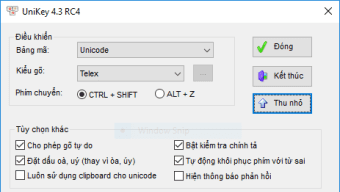
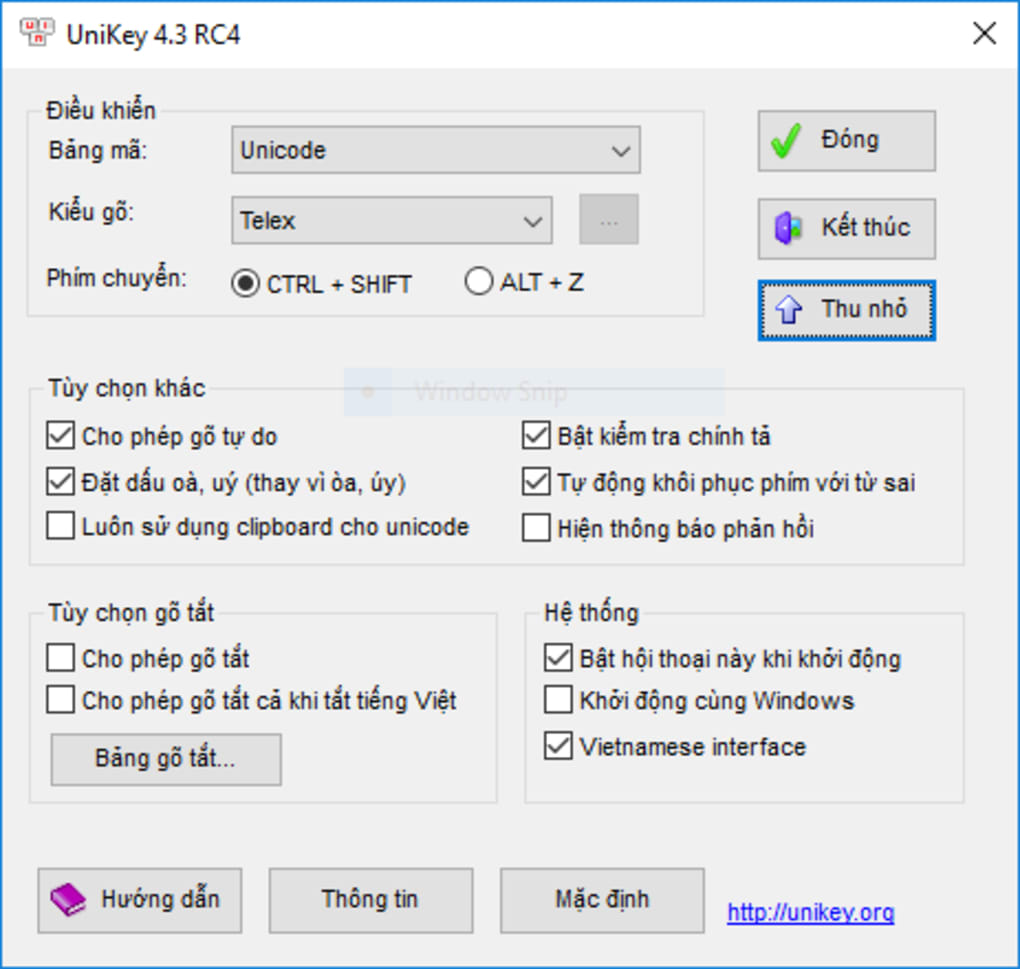
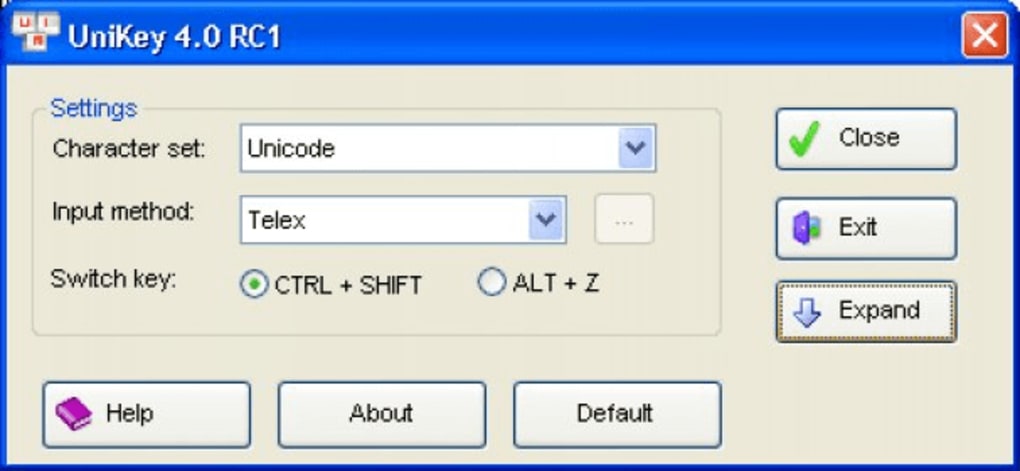
For Windows users, after installation, you can access Unikey through the system tray icon. Right-click the icon to open the configuration menu, where you can select your preferred input method (TELEX, VNI, VIQR), choose the encoding standard, and customize keyboard shortcuts. To switch between languages, press Ctrl + Shift or Alt + Shift, depending on your setup. For Mac users, while native support is limited, Unikey can be used through compatibility tools like Wine or virtual machines. Alternatively, consider using the portable version on a Mac via a USB drive.
Portable use is one of Unikey’s greatest advantages. Simply extract the downloaded ZIP file to your USB drive, double-click the executable, and start typing. No installation or admin rights are required. This makes it perfect for use in libraries, schools, or public computer labs. The software remembers your settings across sessions, so your preferred layout and encoding remain consistent. For developers, integrating Unikey into Visual Basic projects is simplified by its SDK and documentation, enabling seamless Vietnamese input in custom applications. With minimal setup and maximum flexibility, Unikey is a must-have tool for anyone working with Vietnamese text.
Pros and Cons of Using Unikey
- Pros:
- Free and open-source with no hidden costs or ads
- Supports multiple Vietnamese encodings: TELEX, VNI, VIQR, Unicode UTF-8, and more
- Lightweight with minimal CPU and RAM usage
- Portable—can run from USB without installation
- Highly reliable with no crashes or system slowdowns
- Includes smart typing and spelling check features
- Easy integration with Visual Basic and other development tools
- Regular updates and active community support
- Cons:
- Interface is not intuitive for beginners
- Limited native support for Mac and Linux
- No built-in voice input or predictive text features
- Manual configuration required for optimal setup
- Some older versions may have compatibility issues with newer Windows updates
Final Verdict: Is Unikey Worth Downloading?
After extensive testing across different Windows environments and use cases, Unikey remains one of the most dependable Vietnamese keyboard tools available. Its ability to handle diverse encoding standards, combined with its lightweight design and portability, makes it an essential utility for students, writers, developers, and professionals who work with Vietnamese text daily. While the learning curve may be steep for new users due to its non-intuitive interface, the long-term benefits far outweigh the initial setup effort.
Compared to other Vietnamese input methods, Unikey offers superior performance and stability. It doesn’t slow down your system, doesn’t crash during long typing sessions, and maintains accuracy even with complex diacritical marks. The fact that it’s free, secure, and open-source adds significant value. For developers, the integration capabilities with Visual Basic are a major plus. Although it lacks modern features like voice typing or AI-powered suggestions, its core functionality is unmatched in simplicity and reliability.
If you’re serious about typing Vietnamese efficiently and securely, Unikey is the best choice. Whether you’re using it on a personal computer, a public terminal, or a development project, it delivers consistent results. Download Unikey today and experience the gold standard in Vietnamese keyboard input.
Download Now – Get Started with Unikey Today
Don’t miss out on this free, secure, and powerful tool. Click the download button below to get the latest version of Unikey and start typing Vietnamese with confidence.
Guides & Tutorials
How to install Unikey
- Click the Download button above.
- Once redirected, accept the terms and click Install.
- Wait for the Unikey download to finish on your device.
How to use Unikey
This software is primarily used for its core features described above. Open the app after installation to explore its capabilities.
User Reviews
No reviews yet. Be the first to share your experience.
You may also like
more
Llama 2
Free-to-use large language model As the new addition to Meta’s arsenal of langua...

NotebookLM
Revolutionizing the note-taking and idea-generation process NotebookLM is an exp...

Github co pilot
AI-inspired software development and coding platform GitHub Copilot is a browser...

Google Gemma
Google’s lightweight AI models Introducing Google Gemma , a family of cutting-ed...

AI Image Enlarger
A free app for Windows, by ai-image-larger. AI Image Enlarger is a free software...

DALL E
AI-driven text-to-image transformation engine DALL·E is a free graphic and desig...